Best free SEO audit tools in 2026 (and what each one really gives you)
The free SEO audit tools worth using in 2026, their real limits, and a simple routine to audit your website without paying anything.
- No single free tool does everything: combine an analyzer, a crawler and Google Search Console.
- Free crawls are limited (25 to 500 pages): start with your most important pages.
- A 30-minute monthly routine beats one big audit you never act on.
You don't need to pay to find out what's wrong with your website. A handful of free tools, used together, give you almost everything a paid audit would: broken pages, slow pages, missing titles, indexing problems and your backlinks. The catch is that every free tool has a limit, and those limits are rarely explained clearly.
Here are the free SEO audit tools worth your time in 2026, what each one really gives you, and a 30-minute routine that combines them.
The tools at a glance
| Tool | What's free | Limit | Sign-up |
|---|---|---|---|
| CrazyDodo | Instant analysis with SEO, health and AI-readiness scores; site audit with a free account | Site audit up to 25 pages free | Analysis: no. Audit: free account |
| Google Search Console | Indexing, real clicks and queries, Core Web Vitals | No limit | Google account + site verification |
| PageSpeed Insights | Speed and Core Web Vitals for one URL | One page at a time | No |
| Screaming Frog SEO Spider | Full technical crawl on your computer | 500 URLs | No (desktop download) |
| Ahrefs Webmaster Tools | Site audit and your backlinks | 5,000 crawl credits/month per site | Yes + site verification |
| Semrush (free account) | Site audit | 100 pages, 1 project | Yes |
| Seobility | One-page checker; free account crawl | 5 checks/day; 100 pages, 1 project | Checker: no. Crawl: yes |
| Sitechecker | On-page check and Chrome extension | Full tool is a 14-day trial | Checker: no |
Limits checked on the official websites on 28 October 2026.
Each tool in detail
1. CrazyDodo: the quickest first look
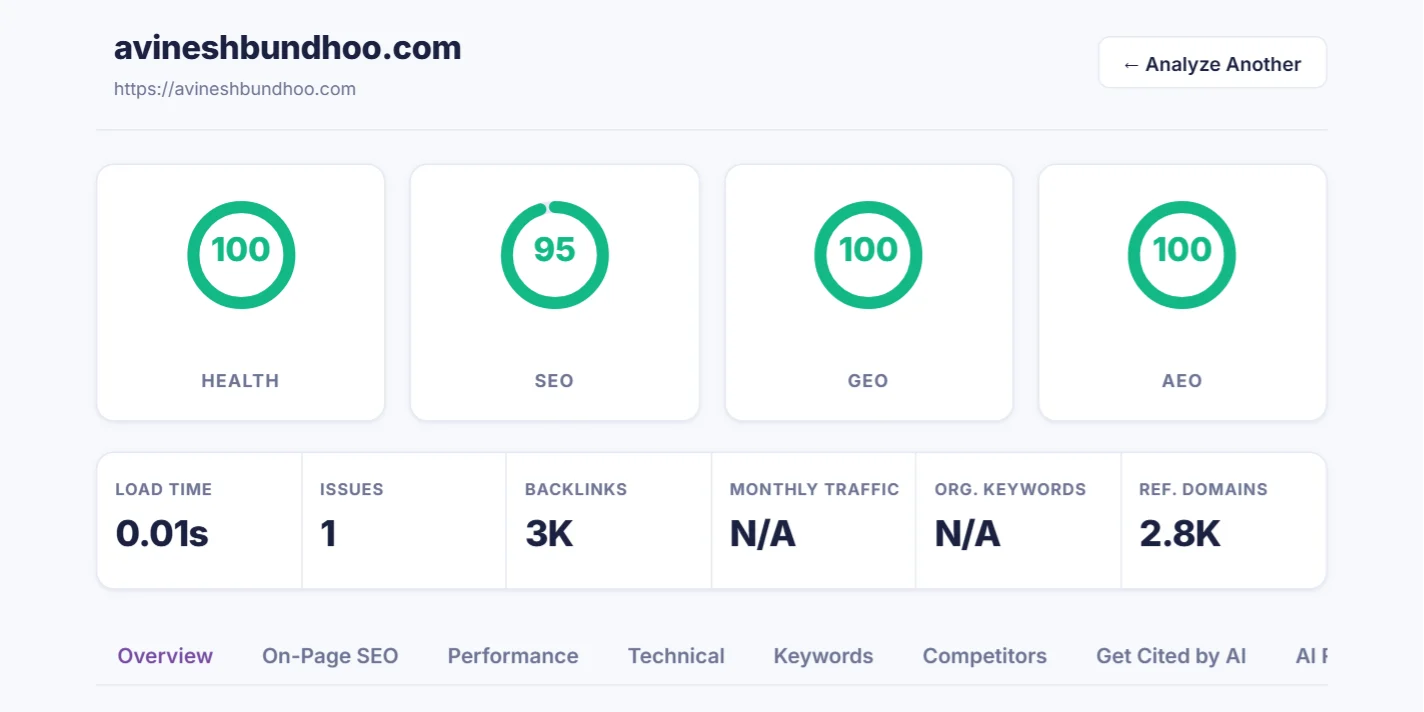
Type your domain on the CrazyDodo homepage and in about a minute you get four scores (Health, SEO, GEO and AEO), your load time, backlinks and a list of quick wins. It is the only free tool here that also scores how ready your page is to be cited by AI assistants. With a free account you can crawl up to 25 pages of your site and see how to fix each issue.
2. Google Search Console: the source of truth
Only Search Console knows which of your pages Google has actually indexed, which searches you appear for and how many clicks you get. Its Page indexing and Core Web Vitals reports are an audit in themselves. You need to verify your site first, by DNS, an HTML file, a meta tag, Google Analytics or Tag Manager.
3. PageSpeed Insights: speed, page by page
PageSpeed Insights tests one URL at a time on mobile and desktop and lists what slows it down. Test your home page and your most important service or product page.
4. Screaming Frog: the professional crawler, free up to 500 URLs
The free version of Screaming Frog SEO Spider crawls up to 500 URLs on your own computer. It finds broken links, redirects, duplicate titles and much more, but it shows raw data rather than advice, so it suits people comfortable with spreadsheets.
5. Ahrefs Webmaster Tools: the most generous free crawl
Ahrefs Webmaster Tools gives 5,000 crawl credits a month per verified site, plus the list of websites linking to you. You must prove the site is yours, so you can't audit a competitor with it.
6. Semrush and Seobility: 100-page audits
A free Semrush account audits 100 pages for 1 project, and the free Seobility plan crawls 100 pages for 1 project. Seobility also has a one-page checker with no sign-up, 5 checks a day.
7. Sitechecker: a quick on-page check
Sitechecker offers an on-page check and a Chrome extension without sign-up. The full crawler is a 14-day trial, then paid.
What a good audit should check
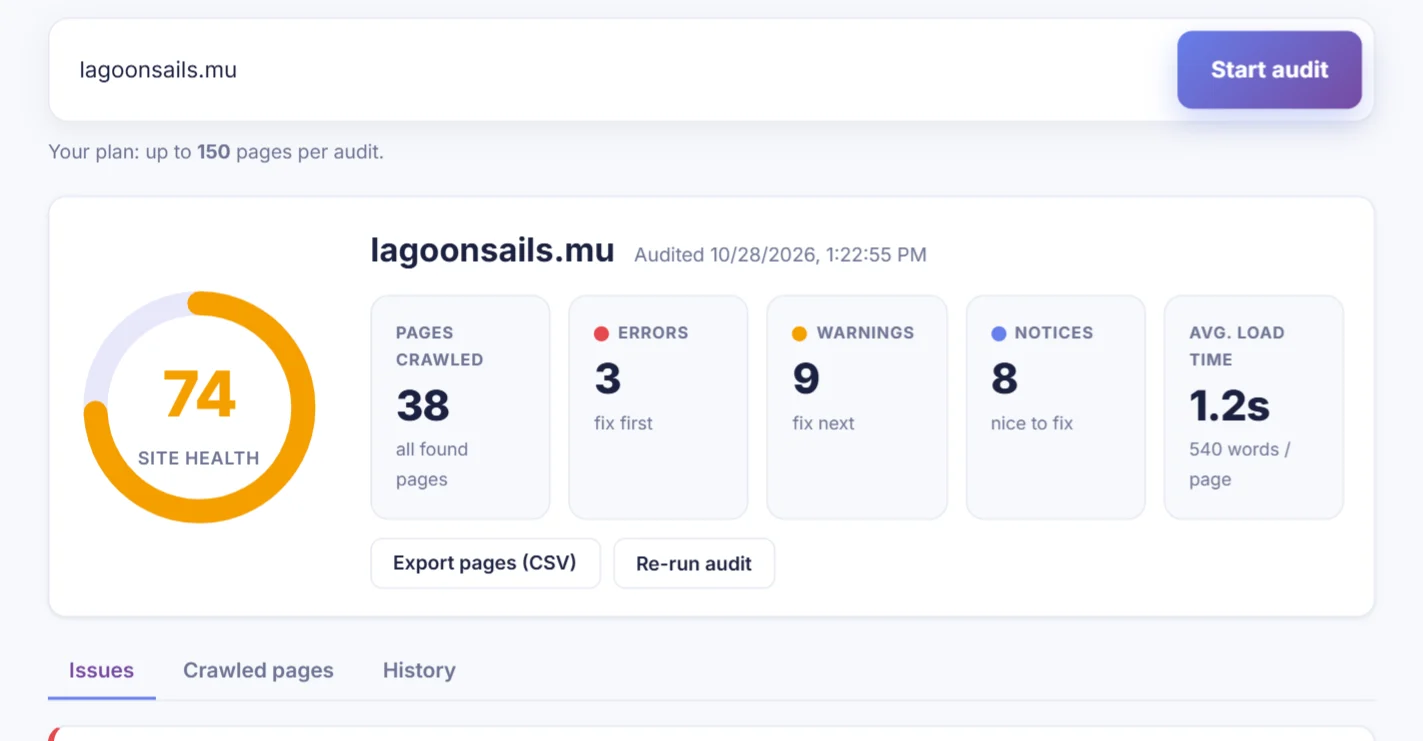
Whatever tool you use, make sure these are covered. Between them, CrazyDodo's site audit and its analyzer check all of them, and the audit sorts problems into errors, warnings and notices:
- Pages that don't work: 404 errors, server errors, redirect chains.
- Indexing: pages blocked by robots.txt or a noindex tag by mistake.
- Titles and descriptions: missing, duplicated or too long.
- Content: missing H1 headings, thin pages under 300 words.
- Images: missing alt text, oversized files.
- Speed and mobile: slow pages, no mobile viewport.
- AI readiness: structured data, clear answers and facts that AI assistants can quote.
A free 30-minute audit routine, step by step
Here is how to combine the free tools above into one routine you can repeat every month.
- 1
Run a quick analysis (5 minutes)
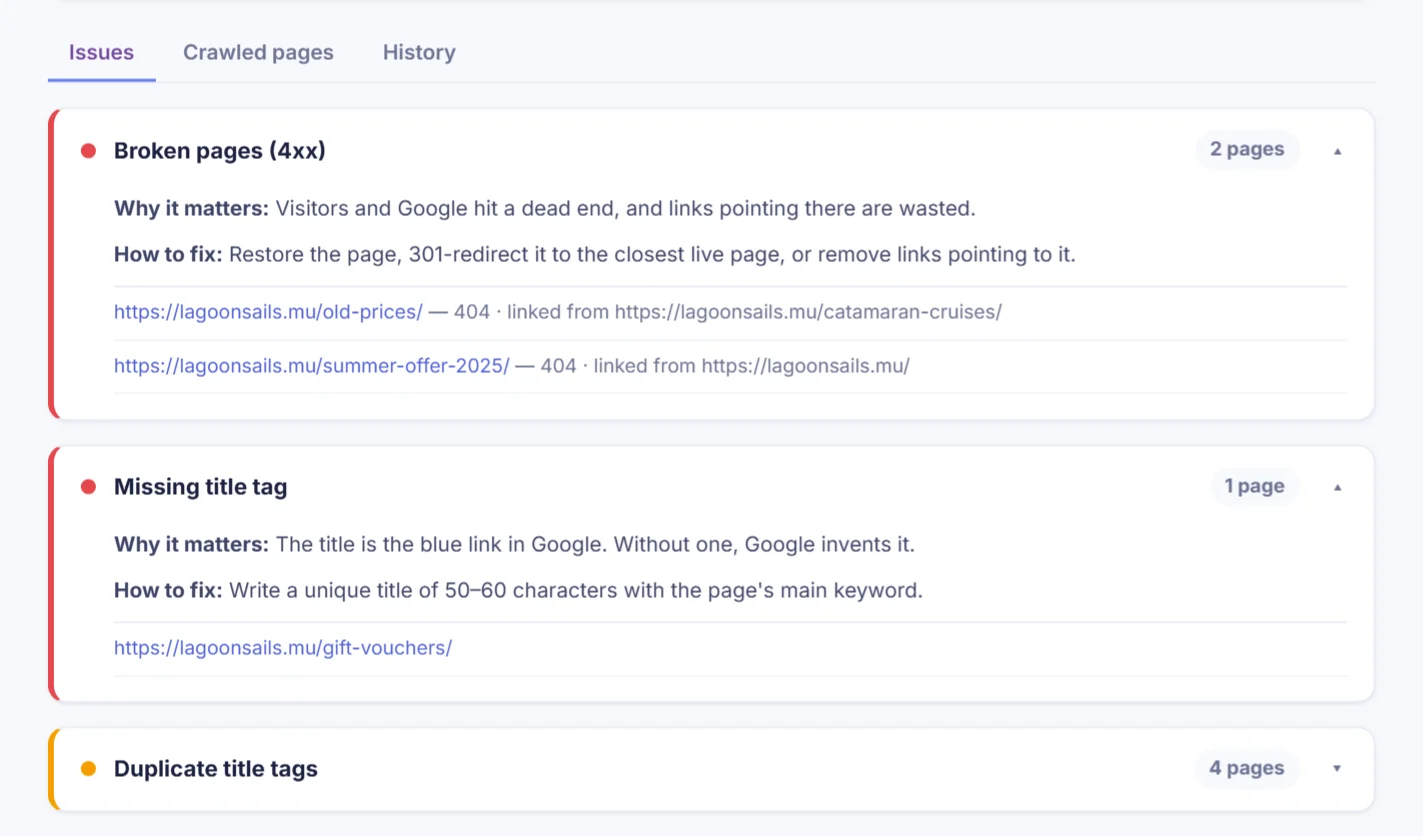
Run your domain through the CrazyDodo analyzer. Note the critical issues and quick wins: they tell you what to fix first.
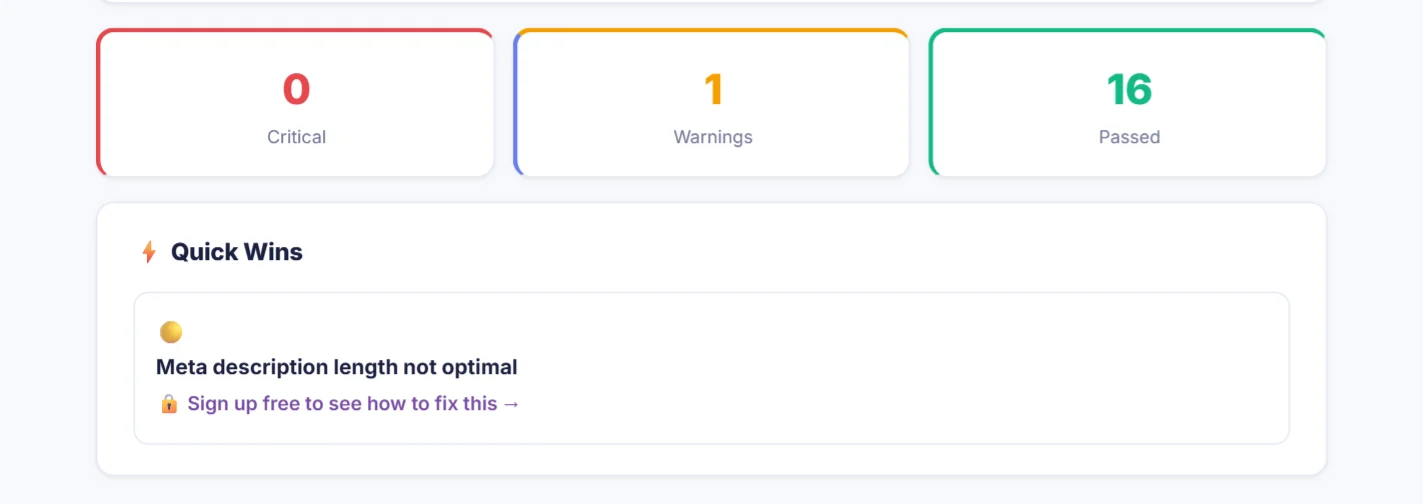
Critical issues first, then quick wins (demo data). - 2
Audit your pages (10 minutes)
With a free account, run a site audit of up to 25 pages. Fix every error before you look at warnings.
Errors, warnings and notices for the whole site (demo data). - 3
Check indexing in Search Console (5 minutes)
Open Google Search Console → Pages and look at why any important page is "not indexed". This is the one thing only Google can tell you.
- 4
Test your speed (5 minutes)
Test your two most important pages in PageSpeed Insights, on mobile first.
- 5
Look at backlinks (5 minutes)
Check your own backlinks in Ahrefs Webmaster Tools, then a competitor's in the CrazyDodo Traffic Analyzer. Note good sites that link to them but not to you.
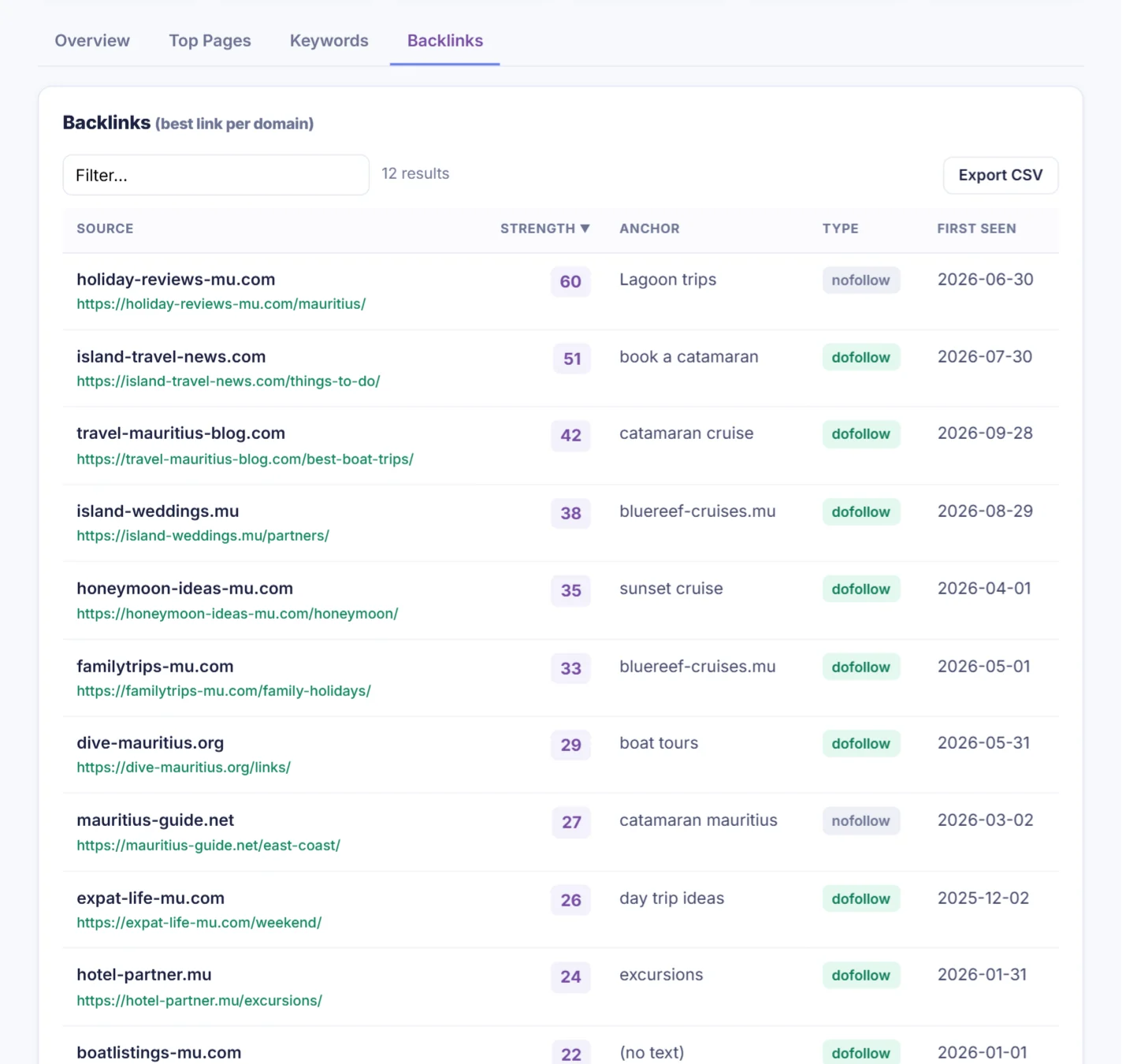
A competitor's backlinks (demo data). - 6
Re-run next month
Run the audit again after your fixes. The History tab shows whether your health score is going up.
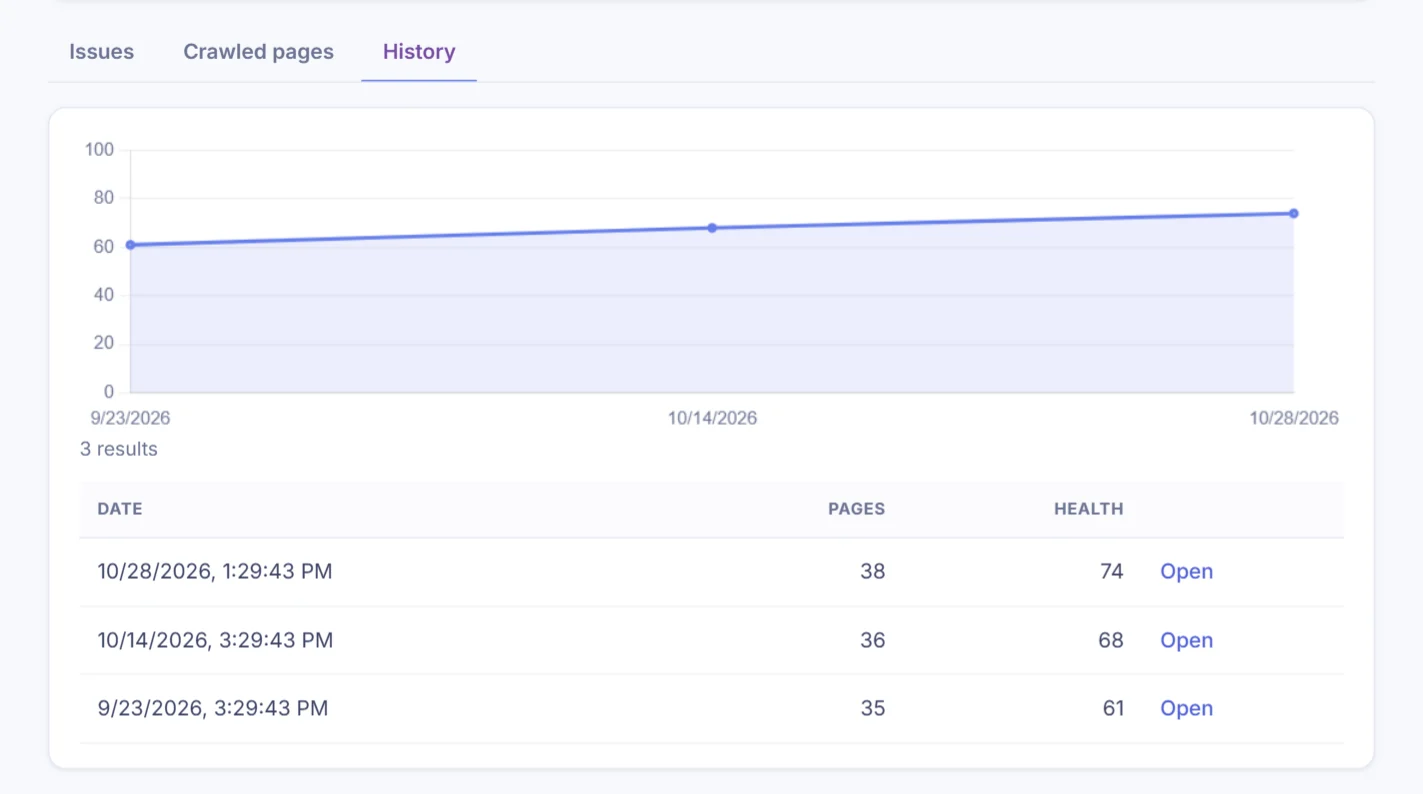
Your health score after each audit (demo data).
Repeat it once a month. Small, regular fixes beat a big audit you never act on.
See your scores and quick wins in about a minute.