Keyword research & traffic: find what people search and who gets the clicks
Use Keyword Overview to find search volume, difficulty and ideas, then the Traffic Analyzer to see any website's traffic, top pages and backlinks.
Two tools answer the two big questions of SEO. Keyword Overview tells you what people type into Google and how hard it is to rank. The Traffic Analyzer shows how much Google traffic any website gets, which pages bring it, and who links to it.
Part 1 · Keyword research
1Look up a keyword
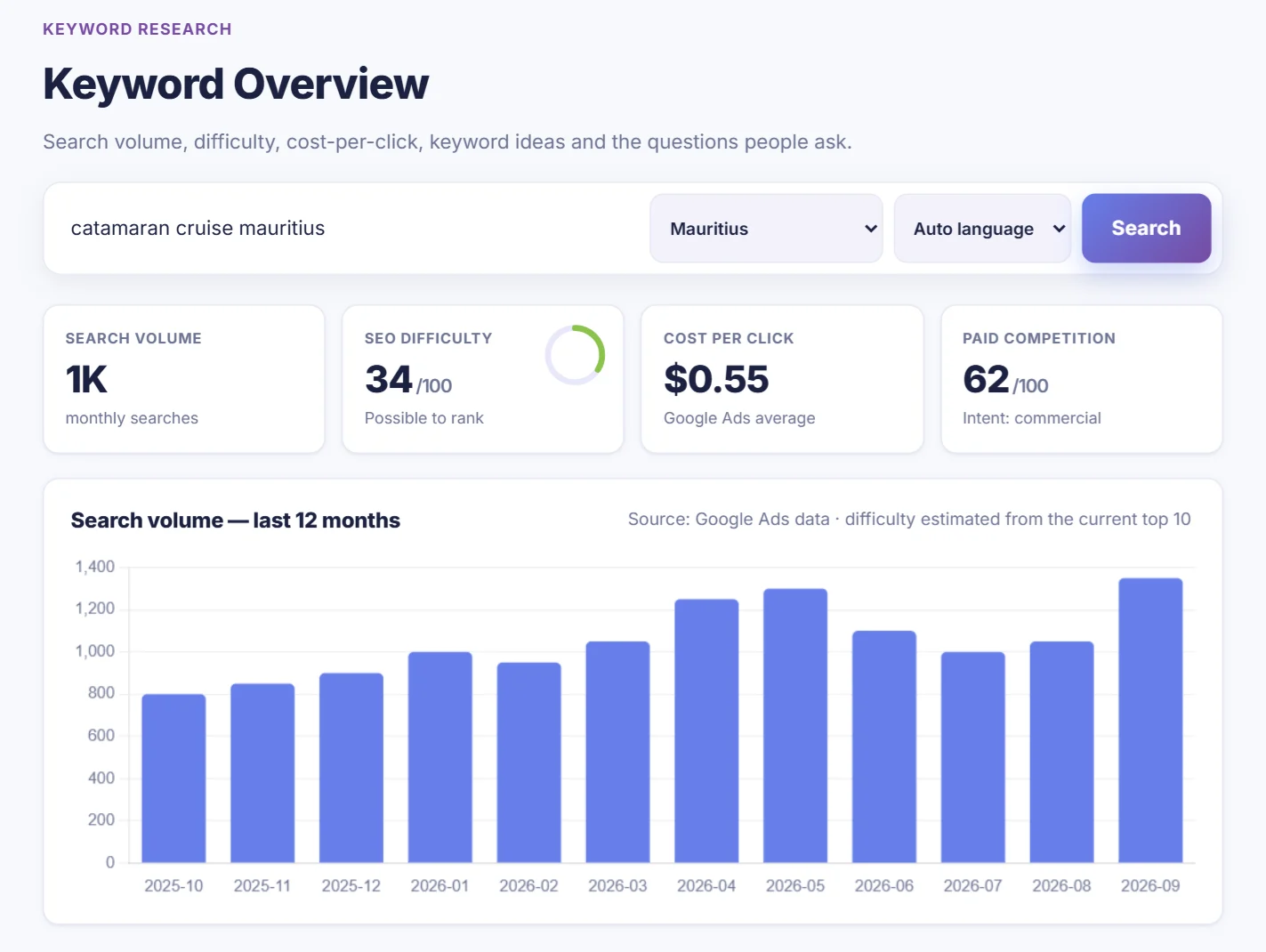
Open Keyword Overview in the menu. Type a search your customers might use, choose the country and click Search. Start broad, like catamaran mauritius; the ideas list will give you the specific versions.
2Understand the numbers
| Metric | What it tells you |
|---|---|
| Search volume | Average searches per month in the chosen country. |
| SEO difficulty | 0–100. How hard it is to reach page one. Under 30 is easy, 30–49 possible, 50–69 hard, 70+ very hard. For Mauritius it's estimated from the strength of the websites in today's top 10. |
| Cost per click | What advertisers pay on Google Ads for one click. A high CPC usually means the search brings buyers. |
| Paid competition | How many advertisers bid on the keyword. |
| 12-month chart | Seasonality. Publish or update your page a month or two before the peak. |
3Find keyword ideas and questions
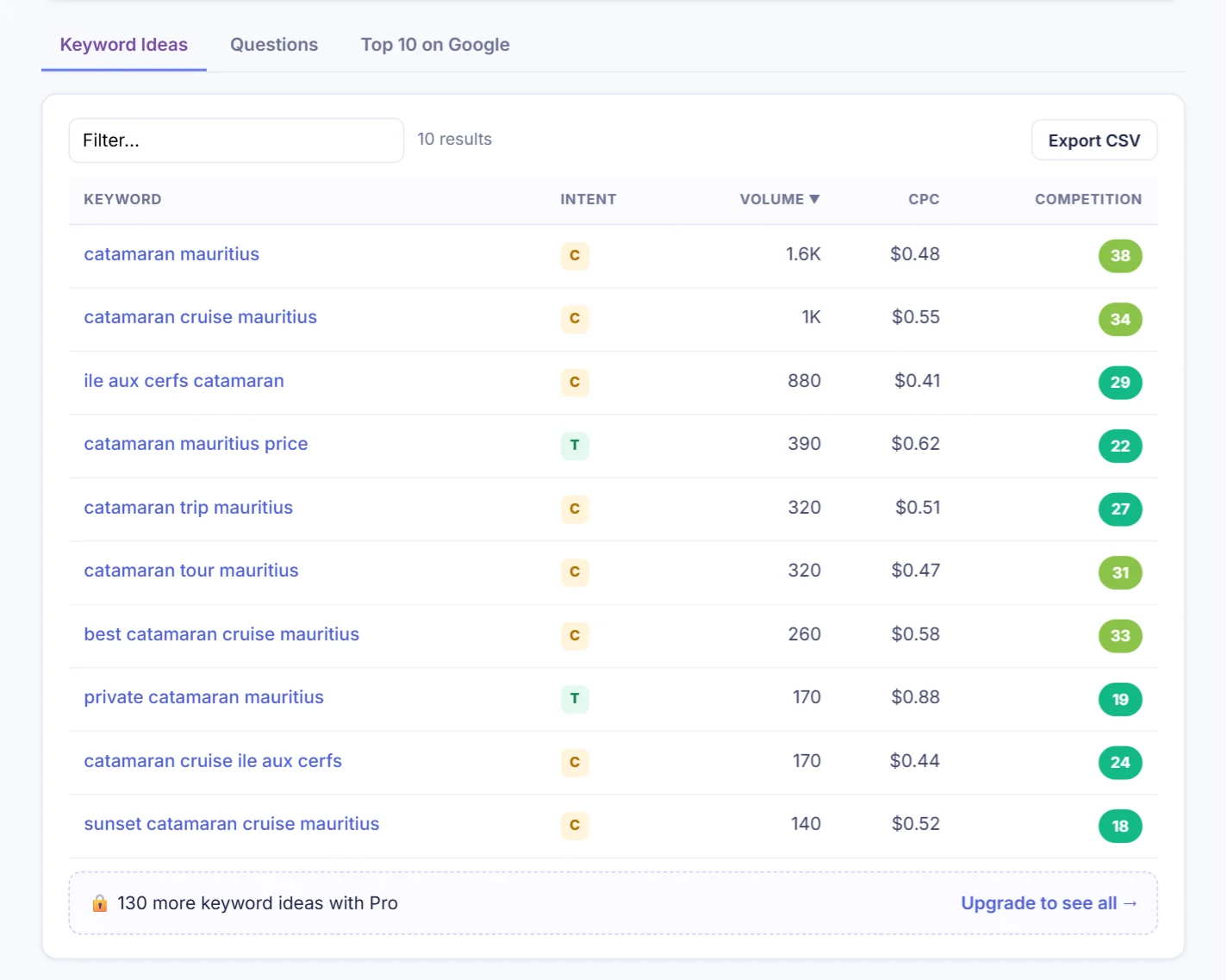
The Keyword Ideas tab lists related searches. The Intent letter tells you what the searcher wants:
- I, informational: they want to learn. Good for blog posts and guides.
- C, commercial: they're comparing options. Good for service and comparison pages.
- T, transactional: they're ready to buy or book. Good for product and booking pages.
- N, navigational: they're looking for one particular brand or website.
The Questions tab shows questions people ask, perfect for an FAQ section, which also helps you get cited by AI assistants. The best targets have decent volume and low difficulty: sort by volume, then look for green difficulty scores.
On a free account you see the 10 biggest ideas; the note under the table tells you how many more there are with Pro.
4See who ranks today
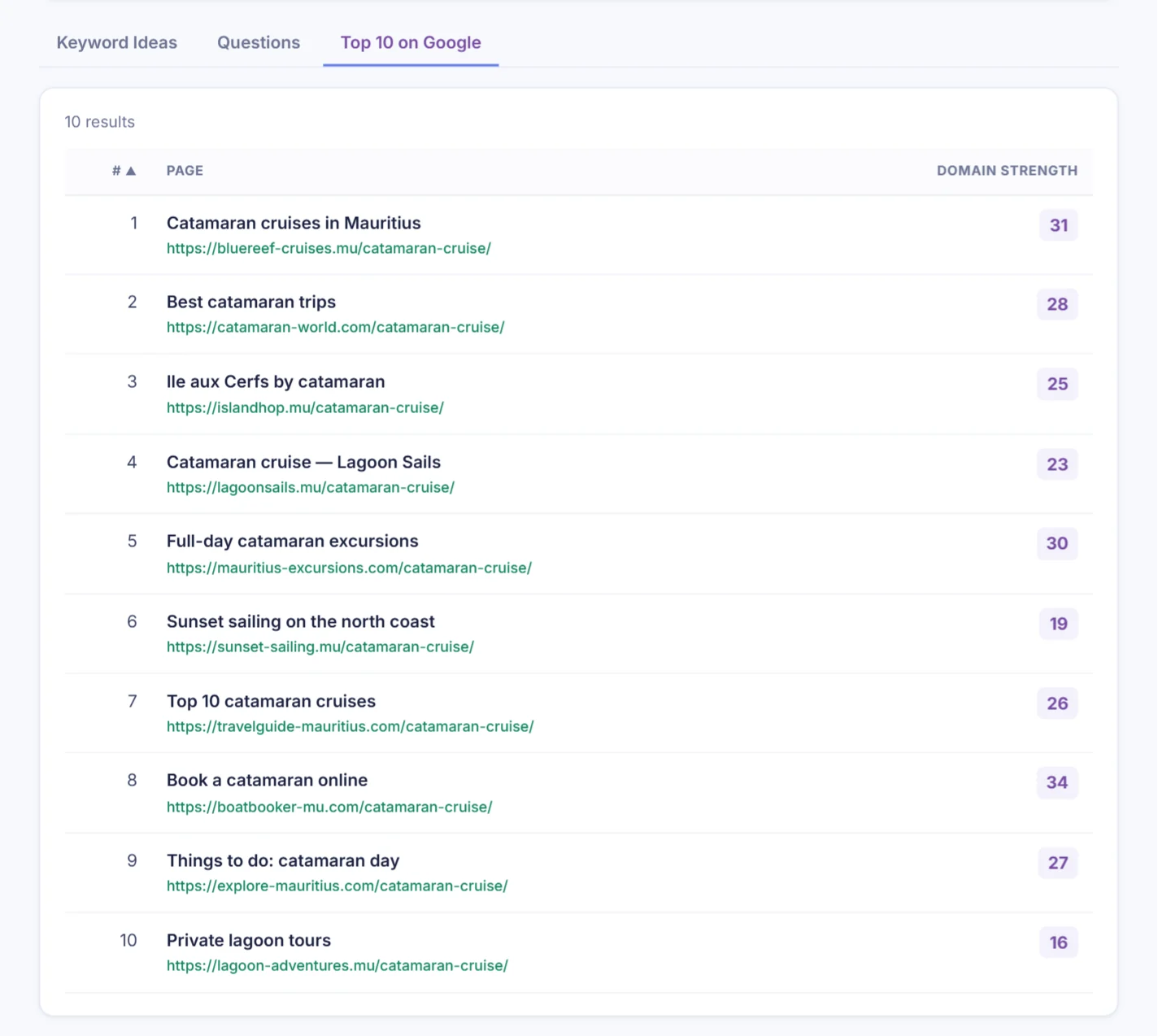
The Top 10 on Google tab shows the pages ranking right now and each site's domain strength (0–100, based on backlinks). If the top 10 is full of sites much stronger than yours, pick a more specific keyword. If you see sites of your size, you can compete.
Part 2 · Traffic Analyzer
5Analyse a website's traffic
Open Domain Overview in the menu, or click Analyze next to a competitor in your project. Enter any website, yours or a competitor's.
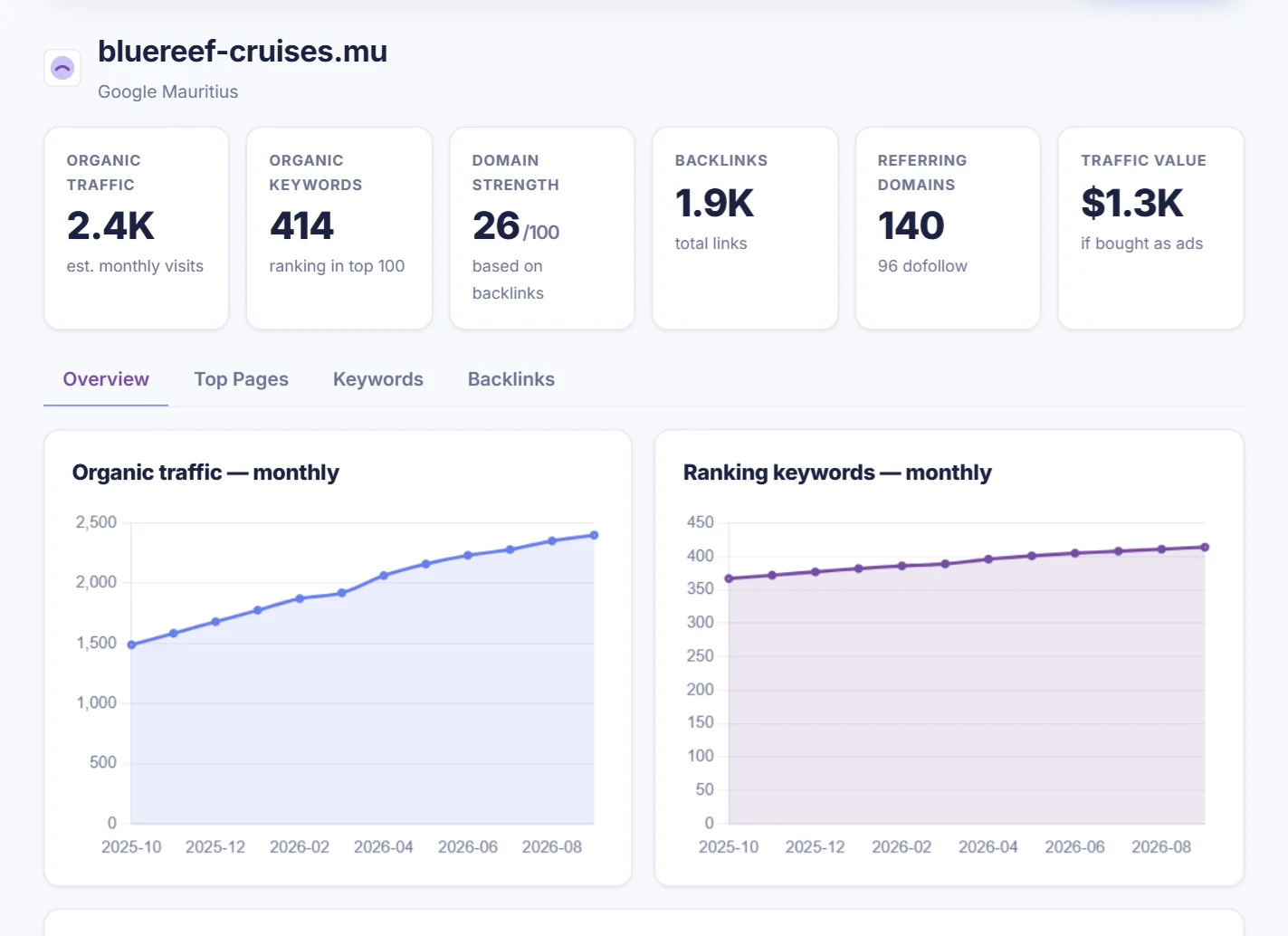
- Organic traffic: estimated monthly visits from Google.
- Organic keywords: how many searches the site appears for in the top 100.
- Domain strength: 0–100, based on the quality and number of sites linking to it.
- Traffic value: what that traffic would cost as Google Ads.
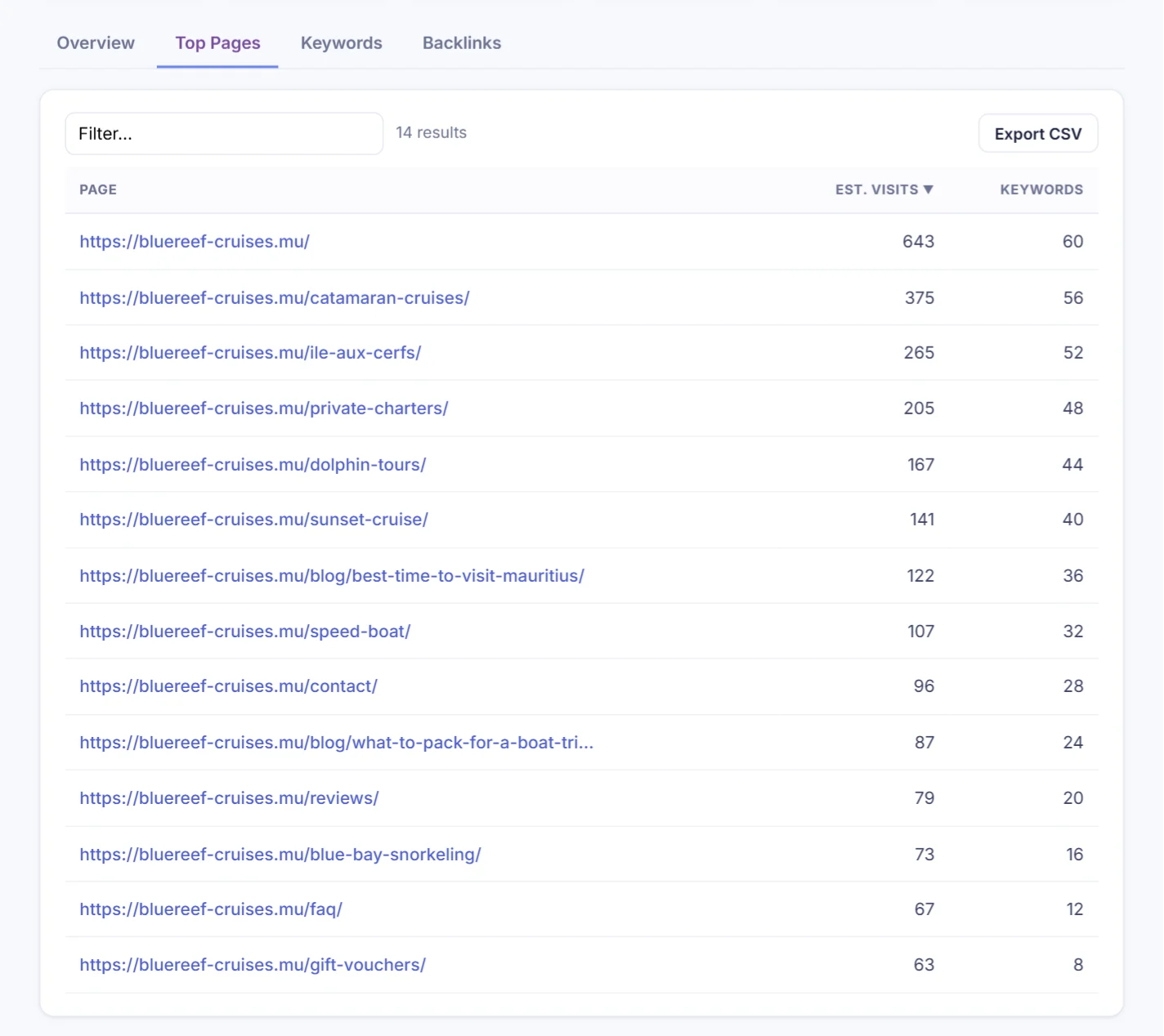
The Top Pages tab shows which pages bring the most visits, and Keywords lists every search the site ranks for, with position and estimated visits.
6Check backlinks
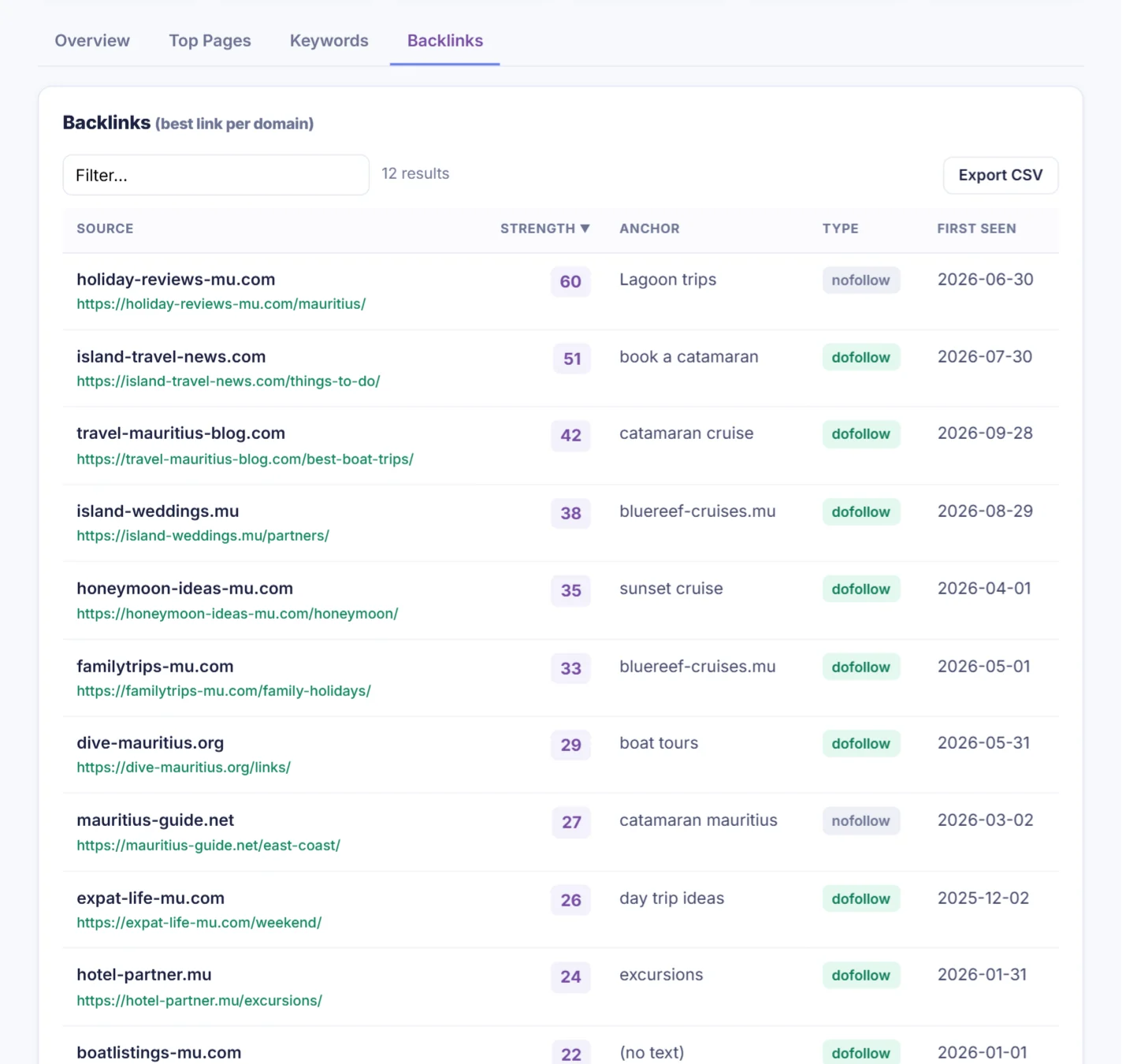
Backlinks are links from other websites, and they're one of Google's strongest ranking signals. The Backlinks tab lists the best link from each website, with its strength, the anchor text and whether it's dofollow (passes ranking power) or nofollow. Look at your competitors' links: hotels, blogs and directories that link to them may link to you too.